
What Can URL Filtering Do?
URL filtering lets you apply browsing policies by website category or custom URL list. Use it to control access and record browsing activity for review. It can help you:
- Gain additional visibility and control over web traffic.
- Control web browsing based on category or through customized white or blacklists
- Enhance SSL decryption policies by selectively decrypting URL categories
- Apply QoS profiles to specific URL categories
- Use group membership to determine which URL categories are allowed to users
How hard is it to configure?
Start by defining which categories users should be able to access and which actions you want to log. The example below shows a profile with category actions configured.
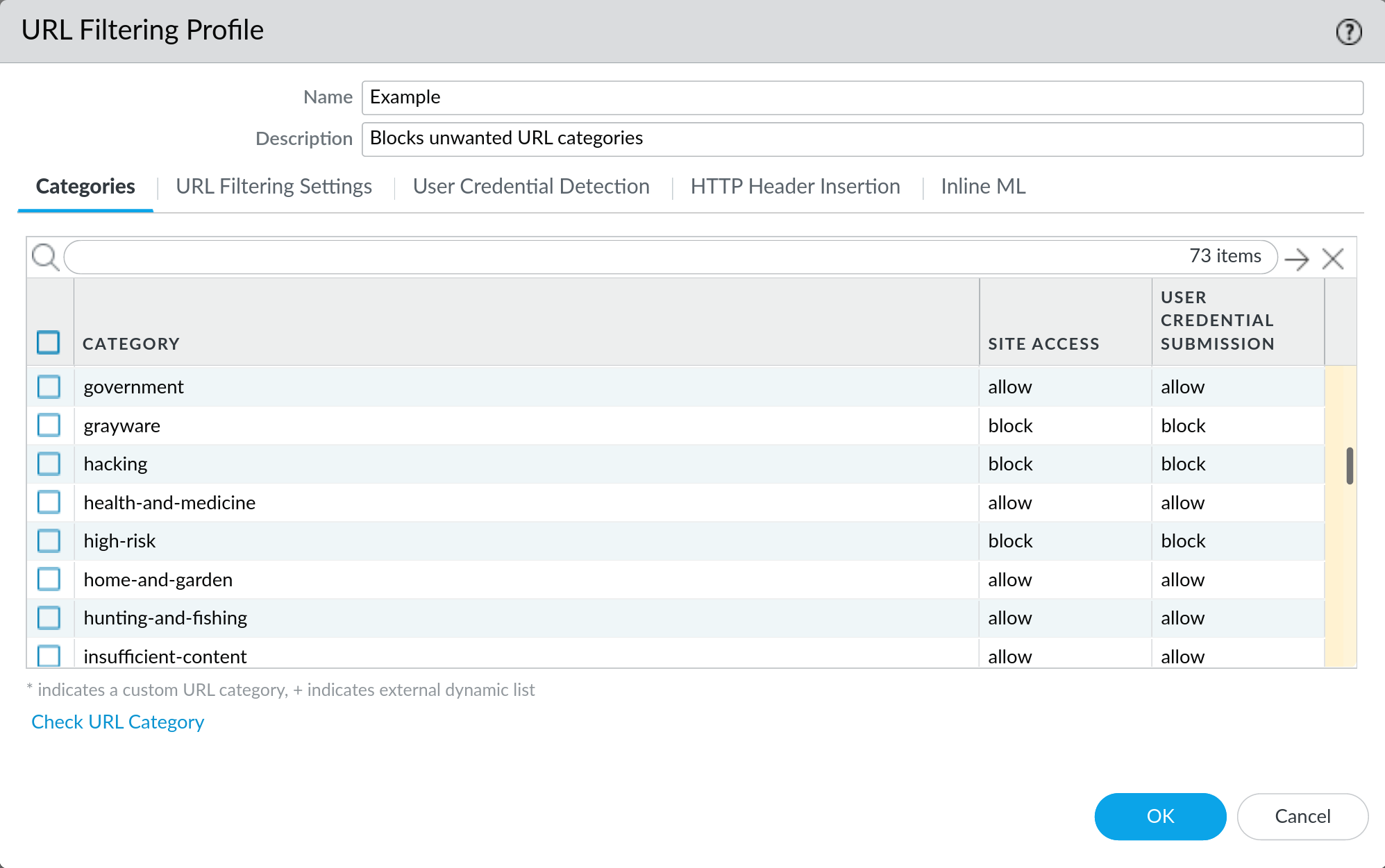
What does each action do?
When traffic matches a category with a configured action the firewall will:
- Allow: Allow access to the site
- Alert: Allow access to the site and generate a log entry
- Block: Deny access to the site and show the block page (also logs)
- Continue: Show a response page indicating that the site has been blocked due to company policy and display a button that allows the user to click to proceed
- Override: Like continue above, but the user must authenticate to proceed
- None: Take no further action. Useful for whitelisting sites
Note: The default action for all categories is allow which will not generate any logs. We strongly recommend that you never set any category to allow and instead use alert for every category that you intend to allow. This greatly aids in troubleshooting and understanding your traffic flow.
Is there a list of all URL categories available?
PAN maintains a list of all the URL categories with descriptions here: PAN URL Category List(support login required)
Here is a quick list of all the categories:
|
|
How do you check if a site is properly categorized?
You can retrieve a URL or IP address category information using the PAN “Test a Site” tool.
How do you block a specific website?
For organizations that need more granular control over URL filtering, it’s common practice to develop both a custom url blacklist and url whitelist filtering categories.
To block a specific URL you will need to create a custom blacklist category and add the URL you wish to block to that list. Entries in the block list must be an exact match and are case-insensitive.
For example: If you want to prevent a user from accessing any website within the domain example.com, you would also add \*.example.com, so that all subdomains of example.com are also matched.
What categories should I block?
While each environment will have unique URL filtering requirements, we have found that there are several categories that should almost always be blocked:
- command-and-control
- cryptocurrency
- malware
- phishing
- proxy-avoidance-and-anonymizers
- questionable
You should customize your URL filtering profiles to match the level of internet access you intend to provide to your users.